Free and open source · GPL-3.0 licence

Your tennis score, like a real Pro.

The Android app that keeps the score by the ITF rules and calls it out loud like a chair umpire. Score from the phone or from two Bluetooth wristbands, and show the result live on a TV.
  • Works without internet
  • 6 languages
  • No ads, no tracking
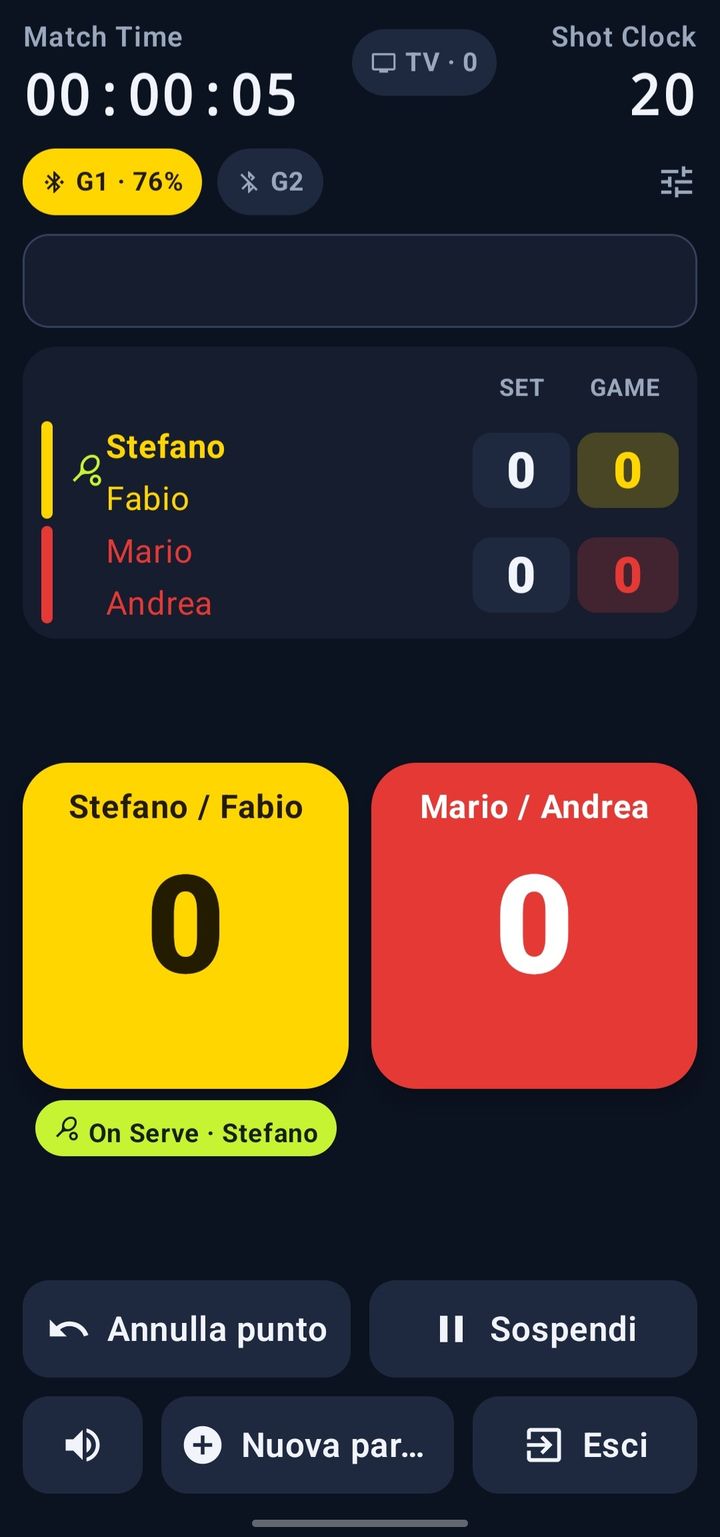
Match screen: match clock, set and game score, and the yellow and red boxes to award the point
Features

Everything you need on court

Made for real matches, even without an umpire: tap who won the point and the app does the rest.

ITF rules

Singles and doubles, tie-breaks, 10-point match tie-break, No-Ad deciding point, changes of ends and serving order, always right.

Umpire voice

The phone calls the score, games, sets and changes of ends in your language, even offline. You can also use your own recordings.

TV scoreboard

A second phone, a tablet or a computer shows the score live on a TV or monitor, with match and break clocks.

Bluetooth wristbands

With two M5StickS3 on the wrist, each player scores their own point with a button, and the phone can stay in the bag.

History and summaries

At the end of the match you get the result, duration, points and games won and the place: save them as text, data or image in the folder you want and share them with any app. Matches can be suspended and resumed, even after closing the app.

Six languages, everywhere

Italian, English, French, German, Spanish and Portuguese: the chosen language applies to the screens, the voice, the scoreboard and the wristbands.

TV scoreboard

A show on court

Any screen becomes a scoreboard, with no special hardware and no internet.
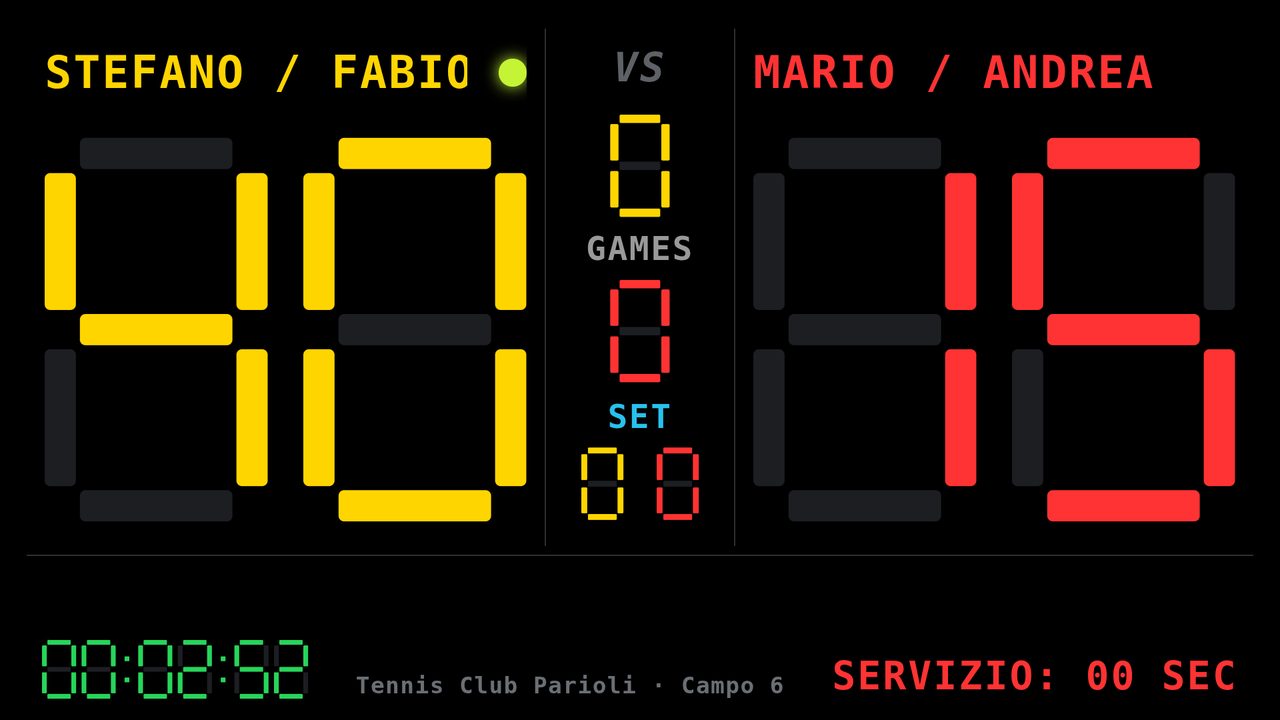
LED-style TV scoreboard: team names, points, games and sets, match time and serve countdown

How to connect

The app includes a small web server. The two devices just need to be on the same Wi-Fi network: one phone's hotspot is enough, and no mobile data is used.

  1. Another phone with Tennis Score ManagerTap «Use as scoreboard»: it finds the umpire's phone by itself. Put it on the TV with HDMI or Chromecast.
  2. Any browserScan the QR code shown by the app, or type the address (e.g. 192.168.43.1:8080).
  • serve 25"
  • changeover 90"
  • set break 120"
Wristbands

Score from your wrist

Two M5StickS3 connect to the phone over Bluetooth LE. Each player presses KEY1 on their own wristband to win the point (KEY2 undoes it): the app counts it, calls it and updates the scoreboard.
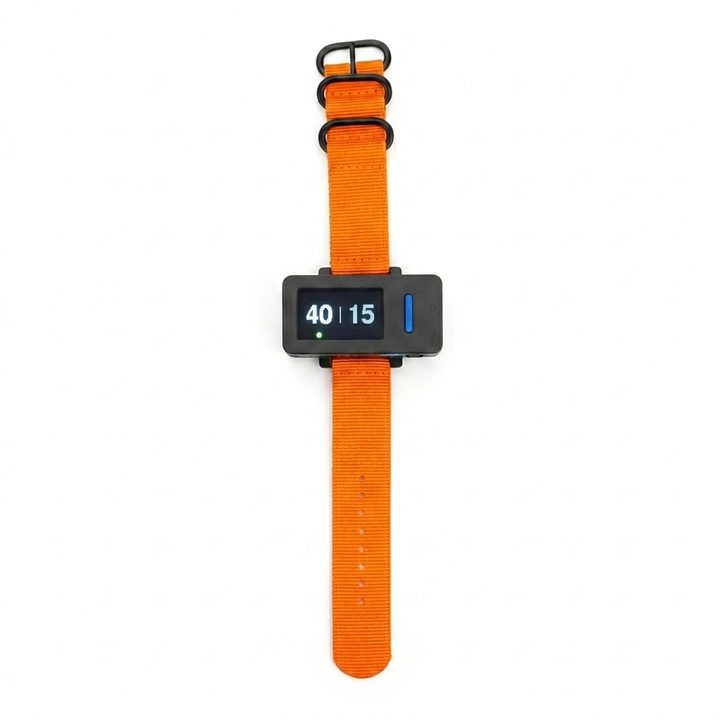
  • Score on the wristband displayIn the same language as the app, with adjustable brightness.
  • Name and settings from the phoneGive each wristband a name and adjust brightness, volume and automatic power-off; one tap copies them to the other.
  • Battery under controlThe app shows the charge and estimates how long it lasts; at the end of the match it switches the wristbands off.
  • Ready in a momentSwitch the wristbands on and the app finds them by itself; «Identify» tells you which is which.
  • Free firmwareThe Arduino code is in the repository: install it with the Arduino IDE.

Wristband firmware

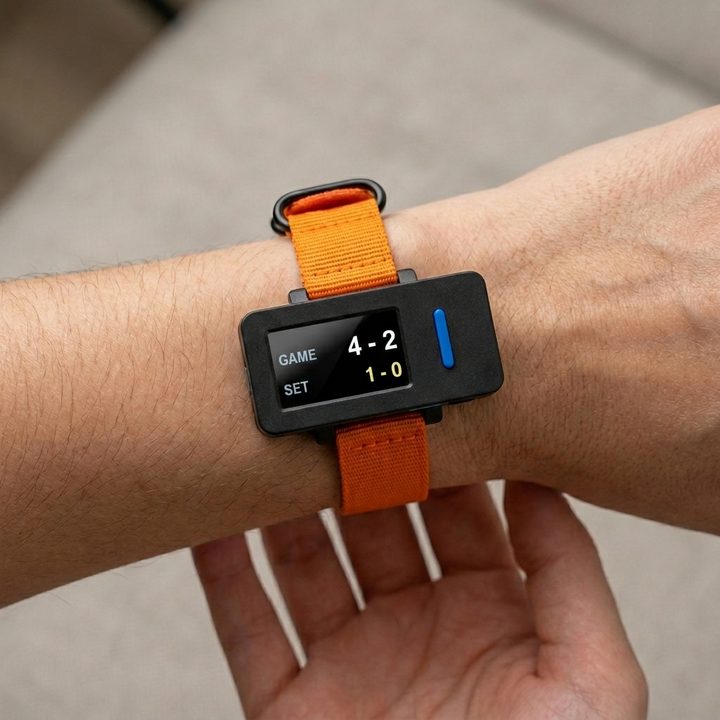
M5StickS3 wristband with an orange strap worn on the wrist: the display shows games 4-2 and sets 1-0 M5StickS3 wristband with an orange strap on a white background: the display shows the score 40-15, with the ball under the server

On every surface

Clay, grass or hard court: each wristband shows the score from its wearer's point of view, and the green ball marks who is serving.

Download

Free, open, no surprises

No account, no ads, no data sent to external servers.

Available on F‑Droid

Install Tennis Score Manager from F‑Droid, the store of free and open source apps for Android: updates arrive from there automatically.

Get it on F‑Droid

Requirements and permissions

System
Android 8.0 or later
Version
2.4.3
Licence
GNU GPL v3 or later
  • BluetoothOnly for the wristbands.
  • LocationOptional: the place of the court in the summary. Up to Android 11 it is also needed for the Bluetooth search.
  • NetworkOnly for the scoreboard on the local network.

Source code on GitHub

ITF rules

The score follows the ITF rules: no more remembering who serves or when to change ends.

Umpire voice and languages

During the match the phone calls points, games, sets and changes of ends, with a chair umpire's wording and the correct pronunciation in each of the six languages.

Three ways to give the umpire a voice

Six languages: Italian, English, French, German, Spanish and Portuguese. The chosen language applies at once to the screens, the voice, the TV scoreboard and the wristband display.

TV scoreboard

An LED-style scoreboard, dark and high-contrast, with names, points, games, sets, match time and serve countdown. Team colours and the bottom line (for example club and court) can be customised in the app. Choose what to show (match time, timers, completed sets, messages, ball next to the server) and check the result in the preview on the phone. If the connection drops, the scoreboard reconnects by itself.

How to connect

ITF clocks: 25 seconds between points, 90 at the changeover, 120 at the end of a set.

Bluetooth wristbands (M5StickS3)

Leave the phone at the side of the court: with two M5StickS3 wristbands each player, or team, scores the point by pressing KEY1 on their own wristband, and KEY2 undoes it.

The firmware is free software (GPL-3.0) and is installed with the Arduino IDE: code and instructions are in the repository.